Collision-Free Teaching of Process Points
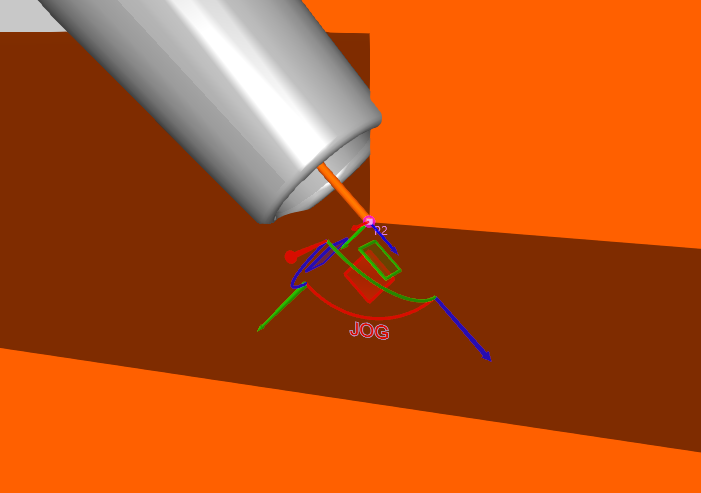
Before automatic planning can be performed, all process points must be correctly marked. However, in these cases in particular, the robot’s tool may come so close to the geometries that a collision occurs. When teaching points, care must therefore be taken to ensure that the robot does not collide with the geometries. Otherwise, collision-free optimization is not possible from the very beginning.
This problem can be addressed using the integrated tools from Visual Components or KUKA.Sim. These ensure that the robot movements defining the process are collision-free and remain outside the specified minimum distance.
To do this, the following steps are needed:
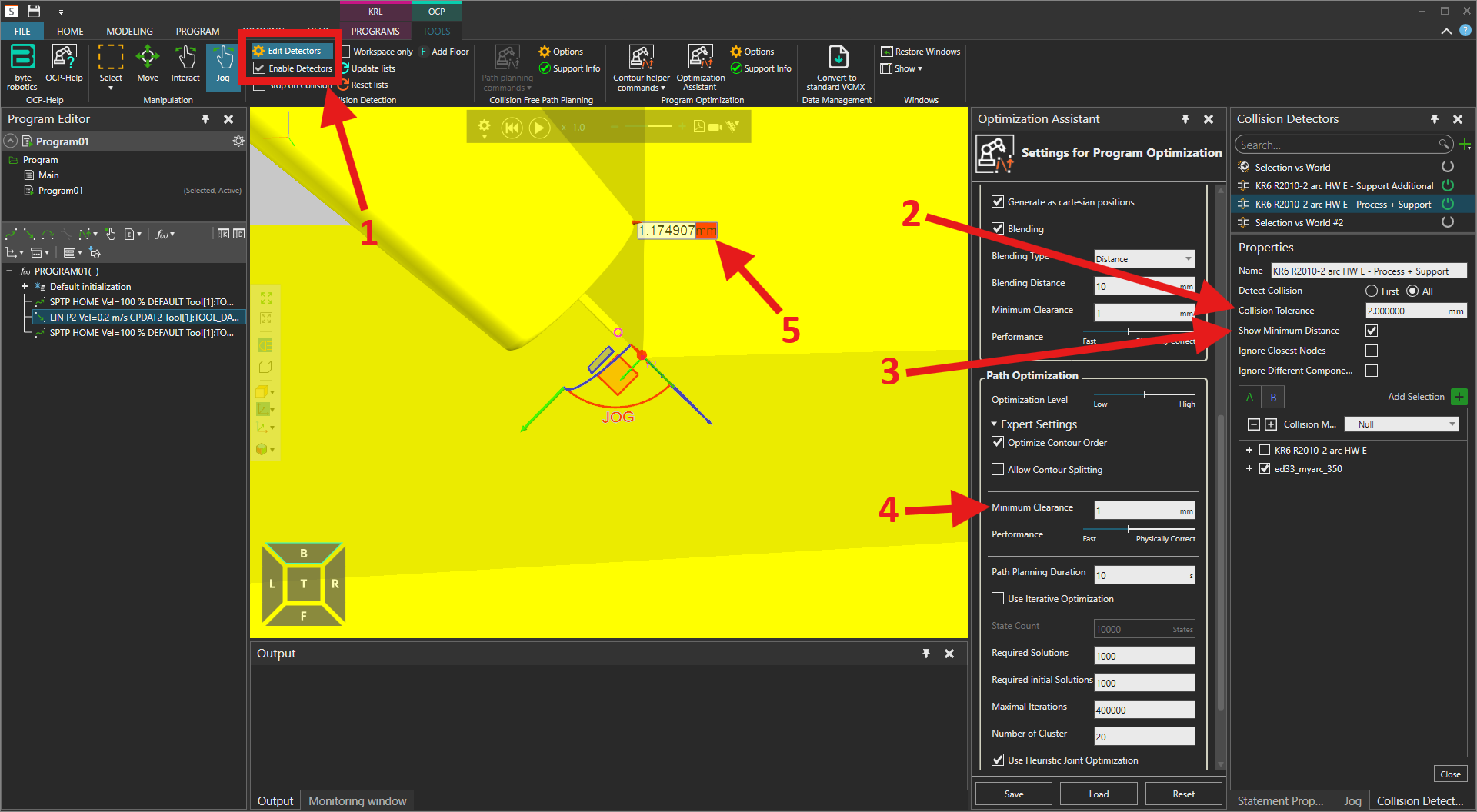
- The collision detection must be enabled, and the collision detector settings (1) must be configured.
- The collision tolerance value (2) must be set higher than the minimum distance value (4).
- Next, the minimum distance display (3) must be enabled. This is necessary so that the minimum distance is shown in the user interface.
- Now, move the point to a position (5) such that the distance to the geometry is greater than the minimum distance (4). Do not forget to apply the changes to the point via Touch Up.
- This process must be repeated for each point until all process points are collision-free.
- Finally, the collision tolerance value (2) must be reset to 0, and the minimum distance display (3) must be disabled.