Initializing the base with external axes
Warning
There is a known issue with some models from the eCatalog of Visual Components version 4.9:
When a base is connected to the workpiece positioner, the robot configurations are no longer set correctly. The base must therefore be referenced to the world coordinate system.
This can be tested by initializing the base as described. Then select the statements in the “Program” tab and check if the robot position matches the point coordinates. If it does, everything is fine; if not, the described problem occurs.
In order to work properly with external axes, the reference coordinate systems must be set up correctly. This can be achieved by correctly linking the components in a scene in the simulation in the correct order.
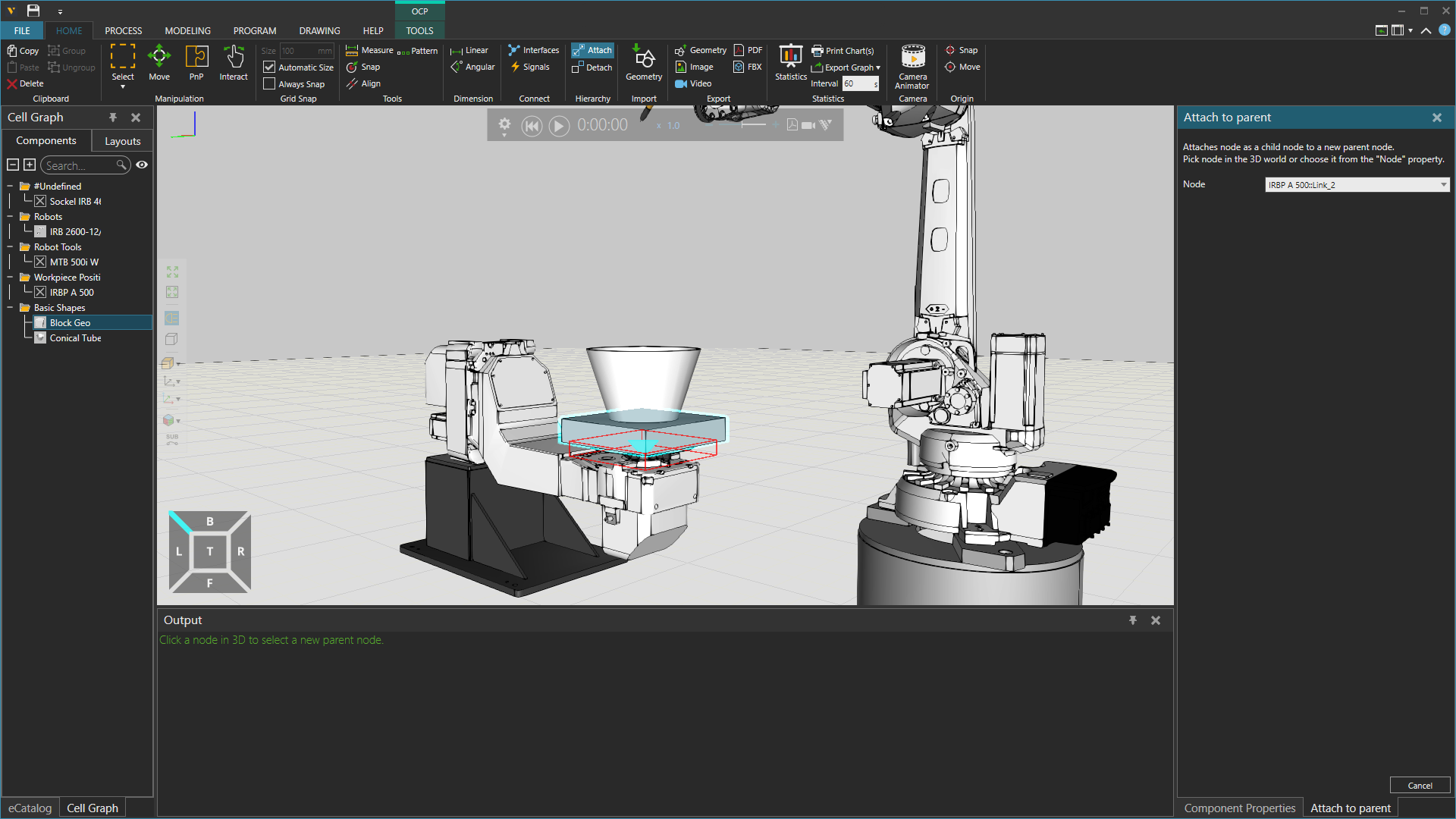
As can be seen in the example scene above, the plate must be attached to the last link of the workpiece positioner.
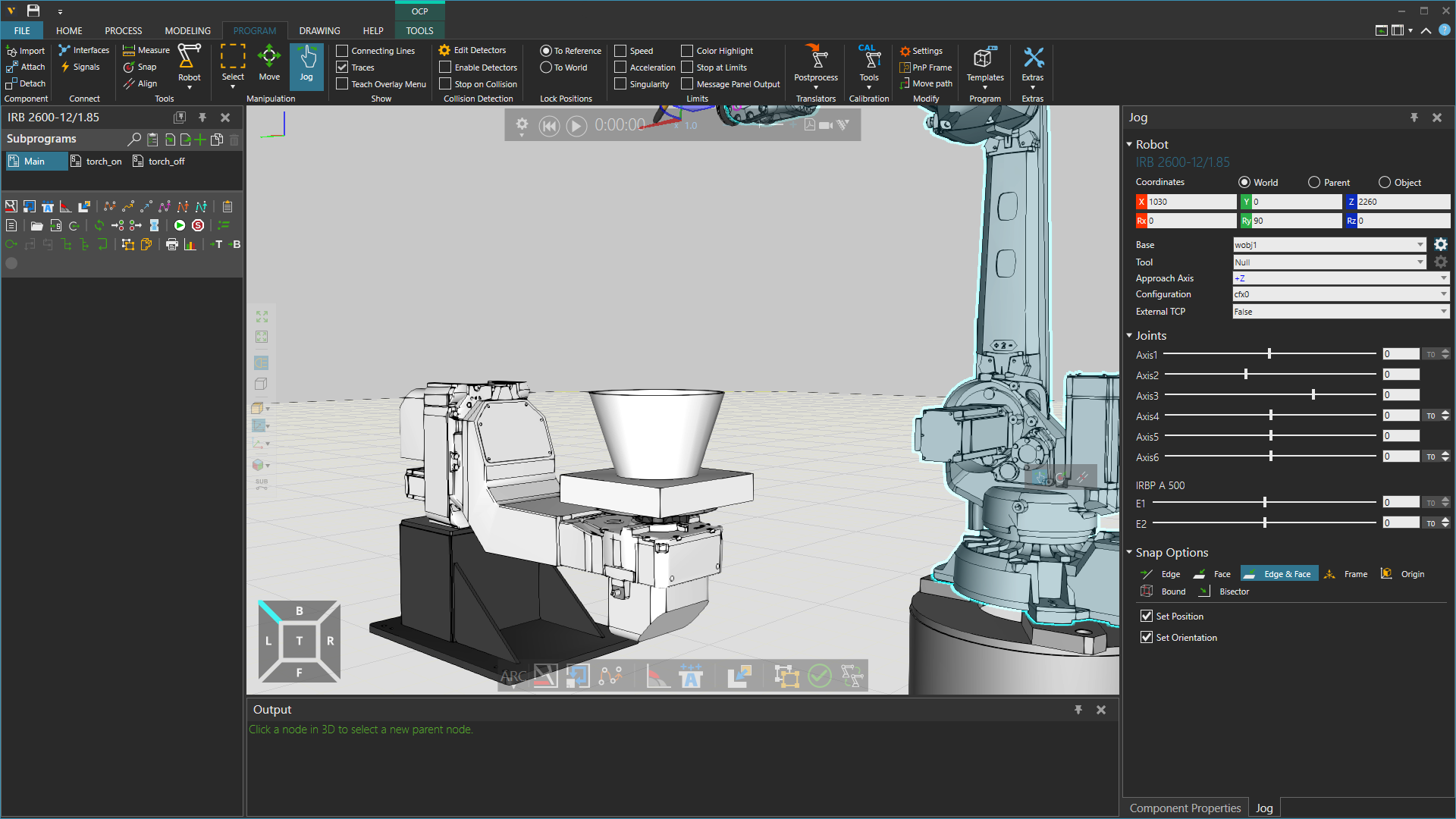
After this, you can adjust the base reference frame in the Program tab using the Jog view. First, select a base, then click the gear wheel on the right.
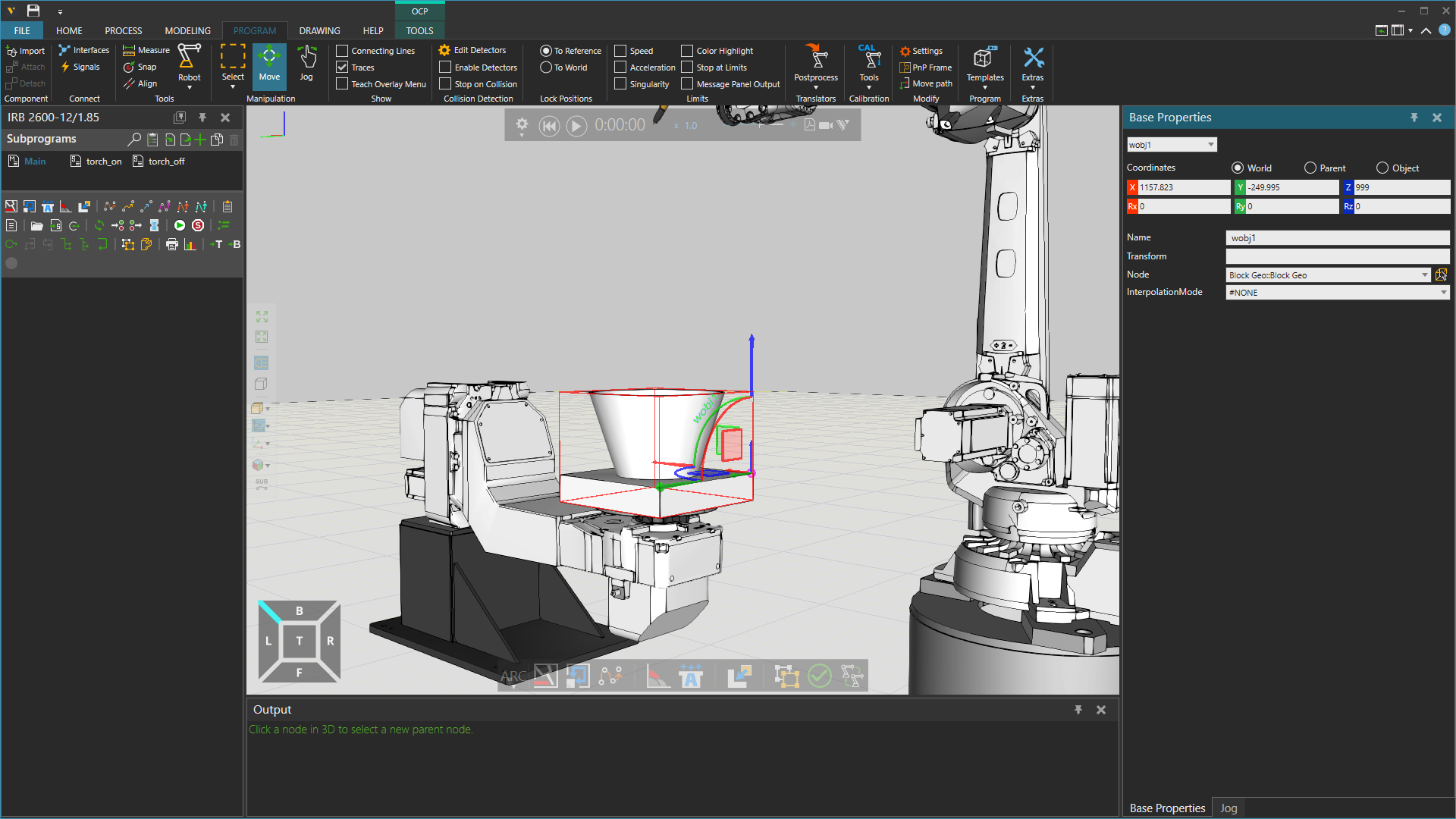
You can now move the base reference and place it on the plate. To correctly link the base to the motion chain, select the plate component under ‘Node’.
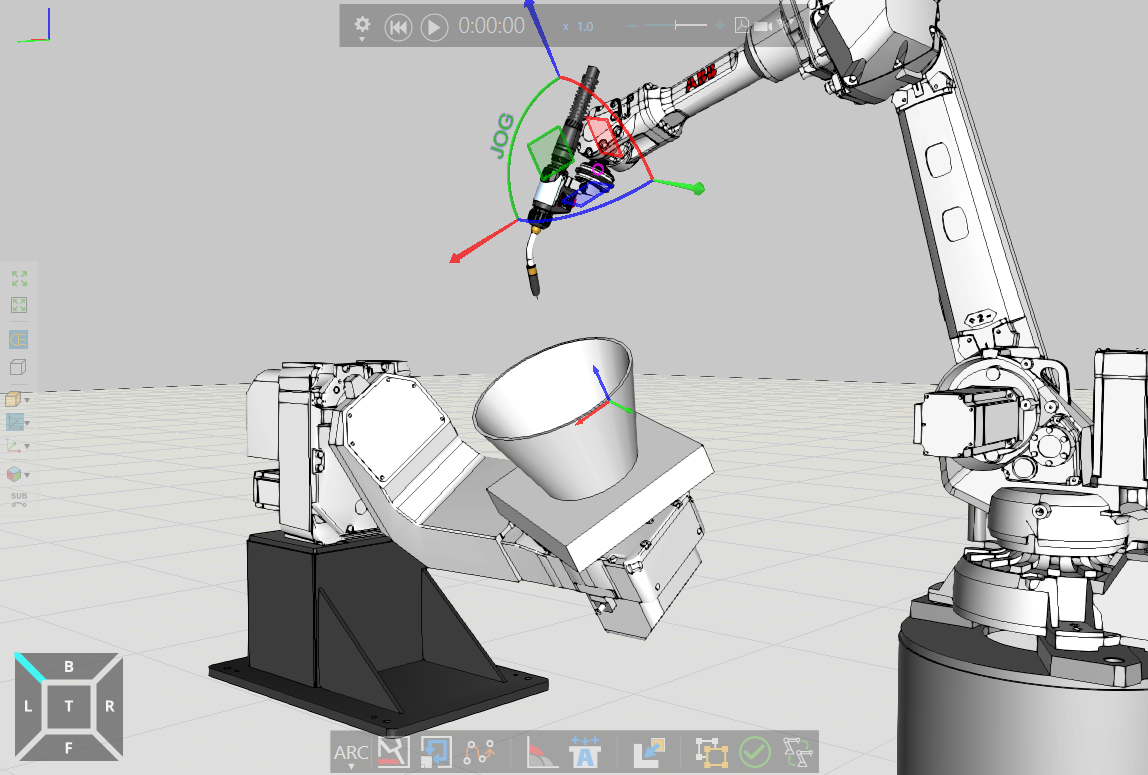
The robot should now move in response to movements made in the external axis via the Jog view or directly in the scene.