Collision lists
In order to use collision-free path planning and path optimization, collision lists must be created in the programming environment. A general explanation can be found in the KUKA.Sim Help.
To assist with this, functionalities for automatic generation have already been described in the OCP Tab.
You can choose whether to add all components to the collision lists or only those within the robot’s workspace. This can only be set for all robots.
Furthermore, collision lists are automatically generated as follows:
- If no lists exist, new lists will be created. Lists A and B will be automatically populated, and the individual components will be selected accordingly.
The naming scheme for the lists is
Robot Name - Process + Supportfor the effective tasks andRobot Name - Support Additionalfor the support tasks. The B-List of the “Support Additional” detector should contain at least the same entries as the “Process + Support” list. - Every selected or deselected node in the A and B lists is included in the automatic regeneration.
- If a component is not in the list, you will be asked whether to add it as selected or deselected.
- If a component or its child nodes are not visible, they are added to the list but deselected. If the component needs to be made visible again and included in the list, the lists must be regenerated. To do this, the respective component can be deleted from the respective list, and the lists can be automatically regenerated.
- If “Workspace only” is enabled, only components located within the robot’s workspace will be added to the list. If “Workspace only” is disabled again, the components must be added again if they are to be included.
- There is also an automatically generated
Robot Name - Self Collisioncollision detector, but this needs to be populated manually. This detector can be explicitly activated or deactivated under the collision-free path planning and program optimisation settings.
Process + Support Collision list
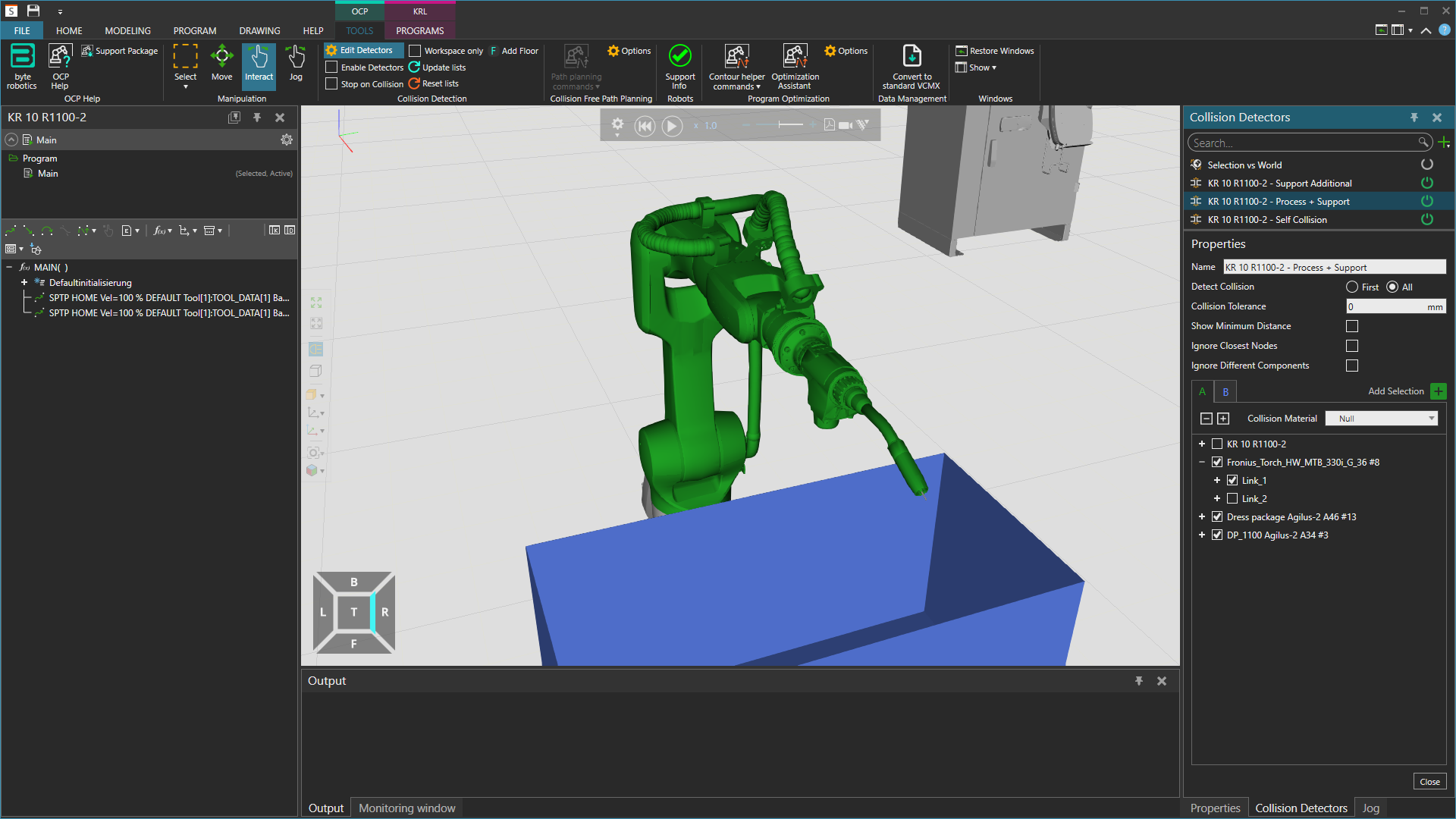
As can be seen in the picture, the welding wire at the torch is omitted because it has to “collide” during the process.
Support Additional Collision list
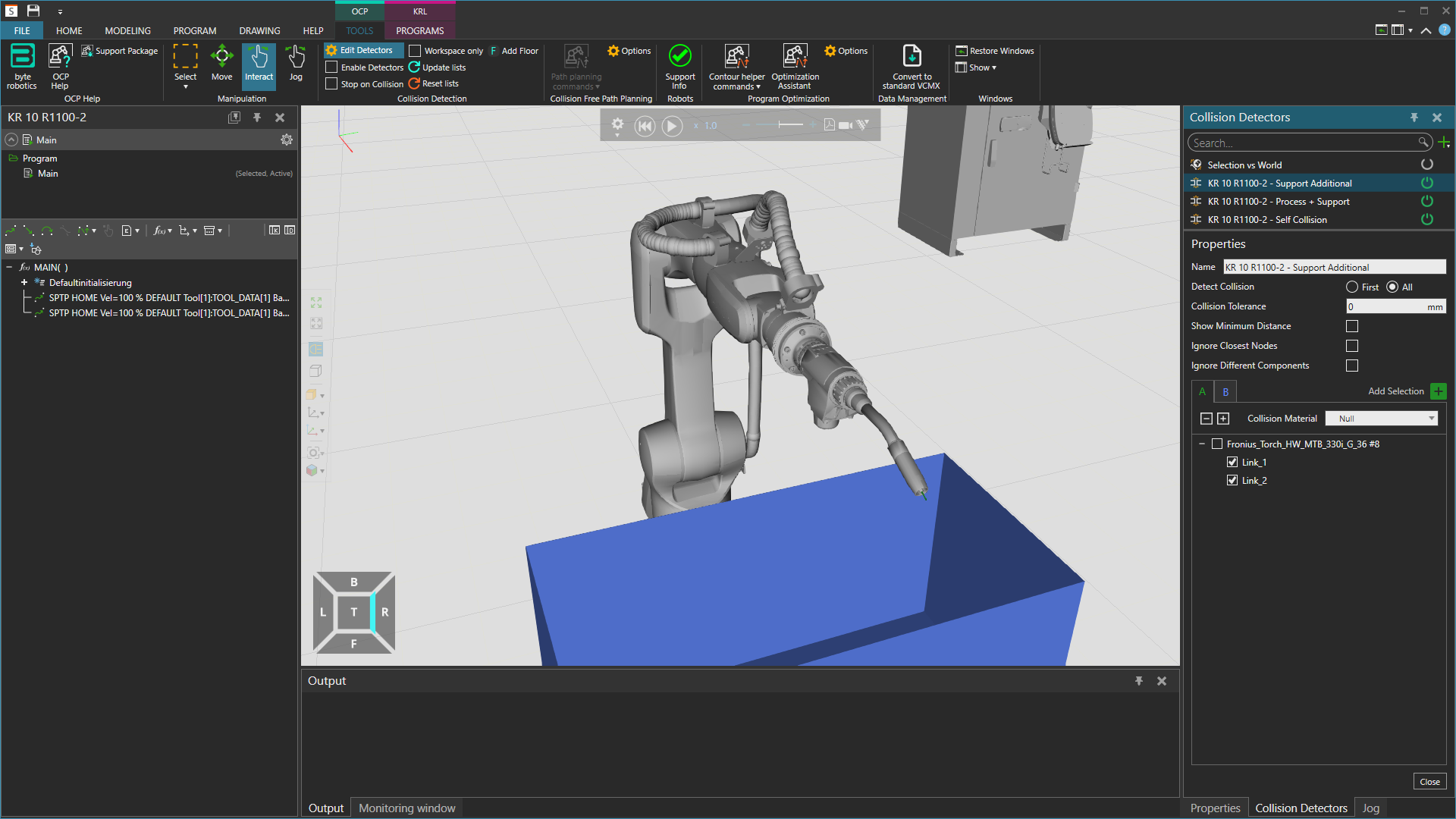
Since the welding wire can collide with all other components during support movements, it should also be taken into account. In a running simulation, this collision detector can then be explicitly deactivated if it is currently in a process.
Info
If the robot tool being used does not have separate nodes for the part to be excluded, these can be added manually via the “Modeling” tab as additional links to the component. A detailed explanation of this can be found in the Visual Components Academy under “2. Prepare geometry.”
Self Collision list
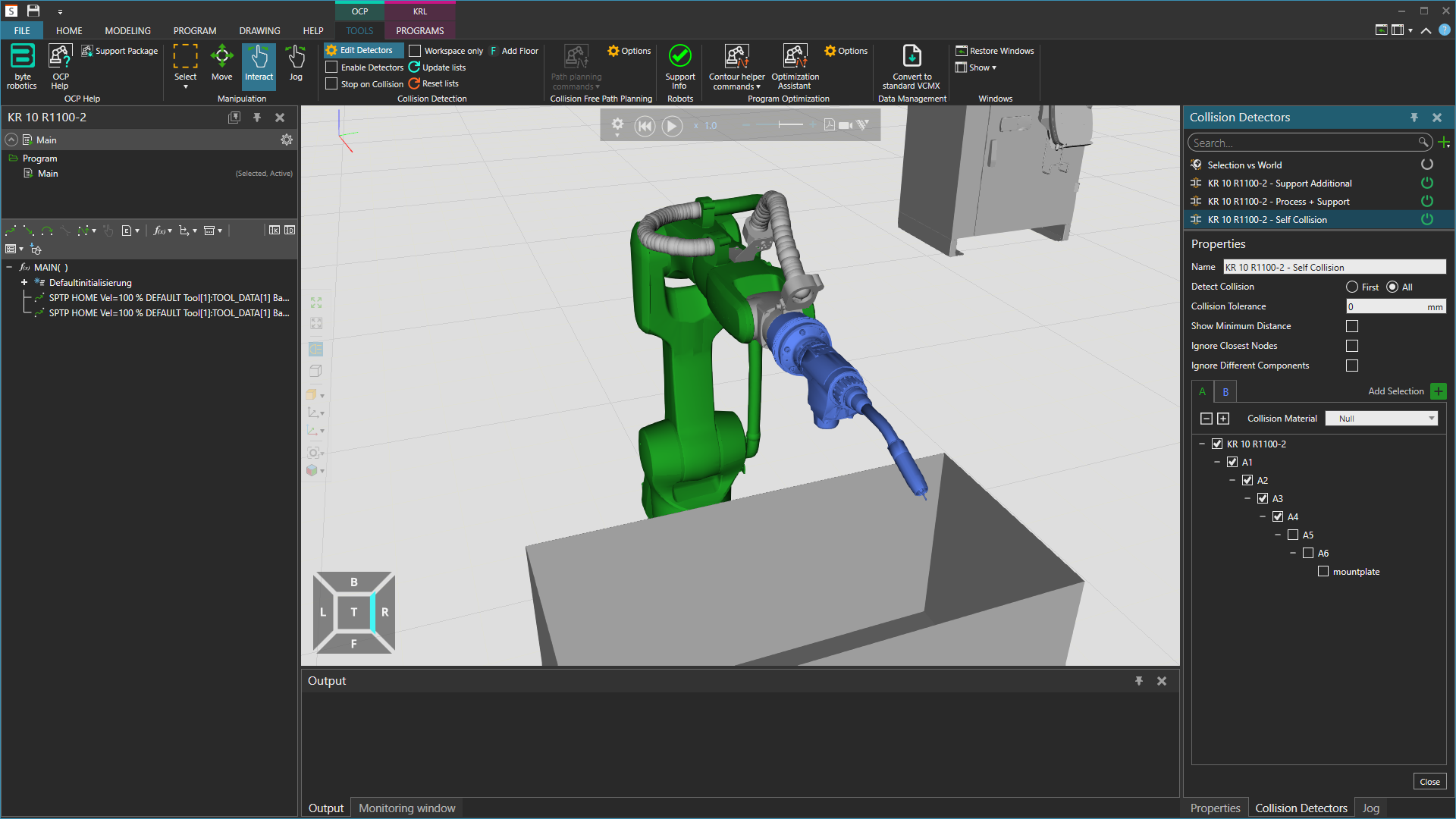
Add any objects connected to the tool, such as an object that has been grabbed, to the self-collision detector list to check them against the robot. As shown in the picture, exclude the last three nodes of the robot to achieve the best results. If the robot is standing on a podium or external axis, add these to list A too if you want to check them against the tool and its descendants.