Model validation
Using components and objects from the eCatalog may cause the collision check in the backend to fail to find any solutions. This may be because some objects contain incorrect geometry data.
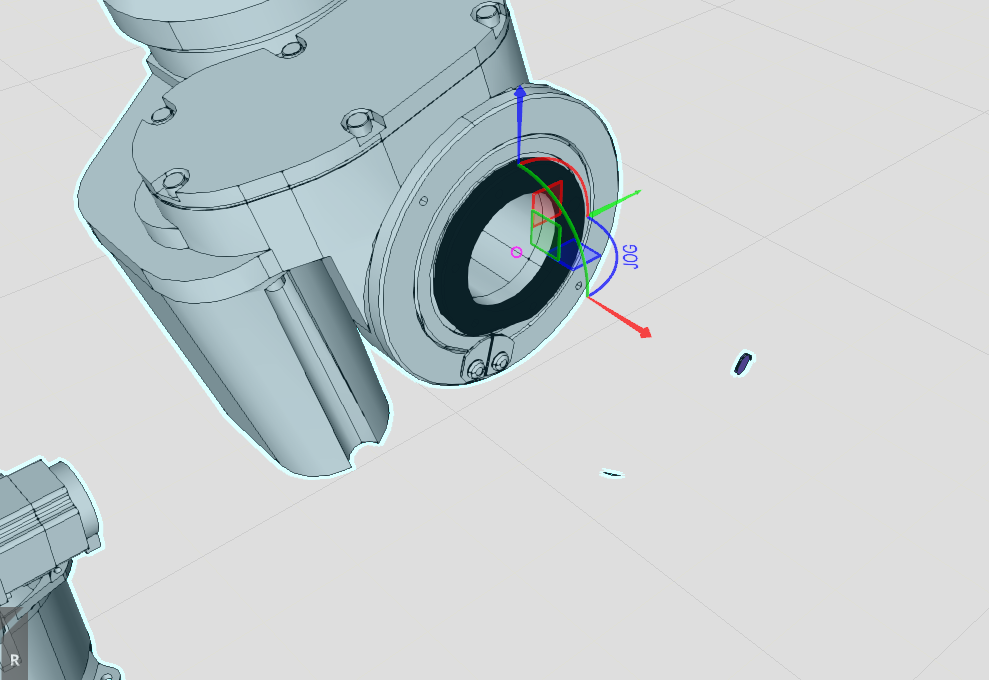
An example of this is the image of the Kawasaki BA006L. When the robot is moved from its HOME position, it becomes apparent that some objects contain incorrect geometric data.
To ensure that the collision check works correctly, the robot must be adjusted.
In the Modeling tab, you can select the individual geometries. Then decide whether you want to remove these geometries or attach them to their parent nodes so that they move with them.
If you notice other models where this is the case, please let us know so that other users are also made aware of the issue. Visual Components Support should also be notified so that the eCatalog can be properly maintained.
Info
The following robots are known to have potential issues:
- KUKA:
- KR 6 R900-2
- KR 6 R900-2 C
- KR 6 R900-2 W
- KR 6 R900-2 AIRSKIN
- KR 6 R900-2 AIRSKIN SF10
- Kawasaki:
- BA006L